
|

|

|
|

|
|
|
|
|
|
|
|
|
|
USB2.0 cables provide transfer rates up to 480Mbps, and easily attach to any USB device. A to B cables are used to connect from your USB port on Hub, PC or Mac to your USB device such as printer or scanner.
|
A-male to A-female USB cables are typically used to extend the reach of your existing USB A/B cable, or to use USB device such as memory stick on your desk instead of inserting it to the back of PC.
|
USB2.0 cables provide transfer rates up to 480Mbps, and easily attach to any USB device. A to B cables are used to connect from your USB port on Hub, PC or Mac to your USB device such as printer or scanner.
|
|
|

|
|

|
|

|
|
|
|
|
|
|
|
|
|
A-male to A-female USB cables are typically used to extend the reach of your existing USB A/B cable, or to use USB device such as memory stick on your desk instead of inserting it to the back of PC.
|
A-male to A-female USB cables are typically used to extend the reach of your existing USB A/B cable, or to use USB device such as memory stick on your desk instead of inserting it to the back of PC.
|
USB2.0 cables provide transfer rates up to 480Mbps, and easily attach to any USB device. A to B cables are used to connect from your USB port on Hub, PC or Mac to your USB device such as printer or scanner.
|
|
|

|
|

|
|

|
|
|
|
|
|
|
|
|
|
USB2.0 cables provide transfer rates up to 480Mbps, and easily attach to any USB device. A to Mini B 5pin cables are used to connect from your USB port on Hub, PC or Mac to your small device such as digital camera, DVR, or PDA.
|
USB2.0 cables provide transfer rates up to 480Mbps, and easily attach to any USB device. A to Mini 4pin cables are used to connect from your USB port on Hub, PC or Mac to your small device such as digital camera, DVR, or PDA.
6ft Length
|
The Micro-USB connector is rated for 10,000 connect-disconnect cycles which is significantly more than the mini plug design, and now being widely adopted by cellphone and PDA manufacturers. These include various types of battery chargers, allowing Micro-USB to be the single external cable link.
|
|
|

|
|

|
|

|
|
|
|
|
|
|
|
|
|
USB2.0 cables provide transfer rates up to 480Mbps, and easily attach to any USB device. A to B cables are used to connect from your USB port on Hub, PC or Mac to your USB device such as printer or scanner.
|
A-male to A-female USB cables are typically used to extend the reach of your existing USB A/B cable, or to use USB device such as memory stick on your desk instead of inserting it to the back of PC. Not for use beyond a total extended single length of 15Ft. For longer length, use USB active repeater HS150125.
|
A-male to A-female USB cables are typically used to extend the reach of your existing USB A/B cable, or to use USB device such as memory stick on your desk instead of inserting it to the back of PC.
|
|
|
|
|

|
|

|
|
|
|
|
|
|
|
|
|
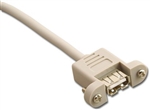
USB EXT CABLE W/PNL MT JACK
|
Sharing files between Windows based computers is made easy with the High Speed PC-to-PC Share Cable, model TU2-PCLINK (to share files with Mac computers buy TRENDnet's TU2-PMLINK). No installation required. Simply connect both computers with the 1.8m (6ft.) cable and an icon automatically appears. Launch the dual file share windows and drag and drop files over the high speed 160Mbps USB 2.0 connection. It's that easy!
|
USB 2.0 active repeater cable is a bus powered extension cable that can be used to increase the length of a device cable without signal loss and potential performance problems. USB limits a cable s length to 16 feet. Any length above 16 feet requires the use of an active repeater that has a signal booster built in. The overall cable length can be extended up to 75 feet by daisy chaining up to 5 of these repeaters. Data transfer up to 480Mbps
|
|
|

|
|
|
|
|
|
|
|
|
|
30Ft long USB2.0 A male/female cable with built-in active repeater. Data transfer up to 480Mbps. No external power required
|
|
|
